Your Page ID is a unique number assigned to your Facebook Page. It is not always shown on the surface but is easy to locate once you know where to find it. Follow these simple steps to locate it in seconds.
Follow the steps below to find your Page ID:
- Log in to your Facebook account and click your profile photo in the top-right corner.
- Select "See all profiles", then choose the Page you want to switch to.
- In the left-hand menu, click your Page’s name to open it.
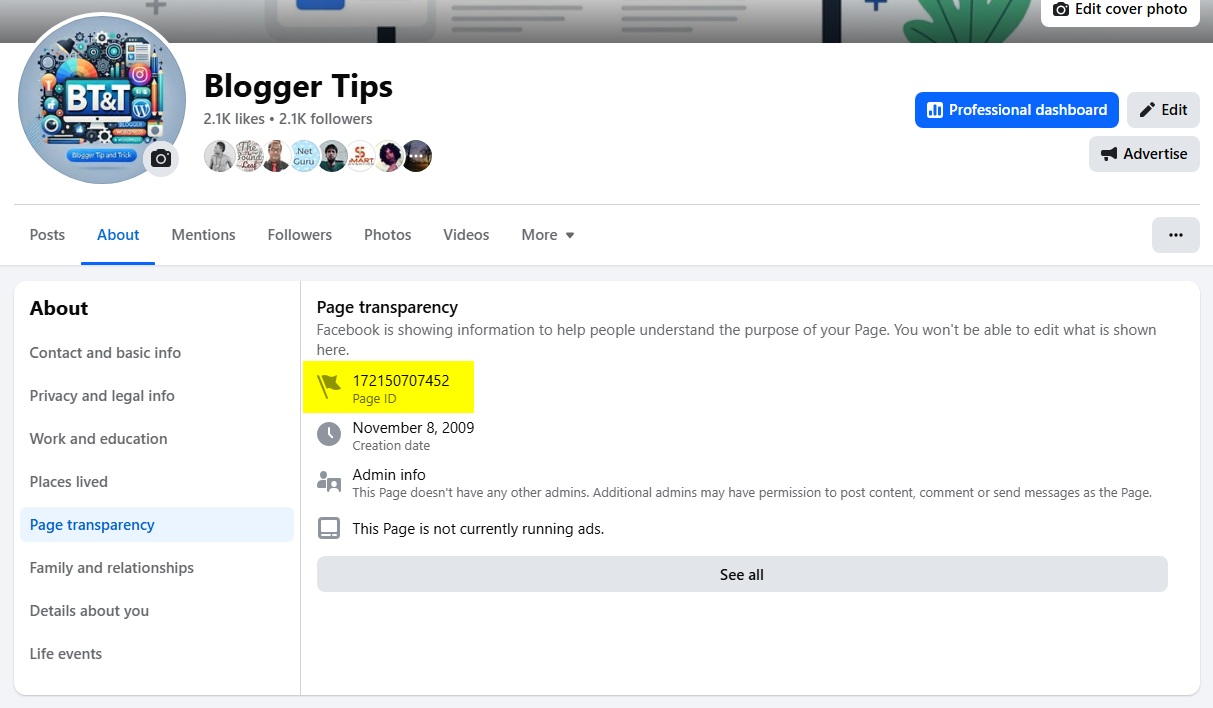
- Click the "About" tab located just below your Page’s cover photo.
- Scroll down and click "Page Transparency". Your Page ID will be listed there.
You will see your Facebook Page ID like this: