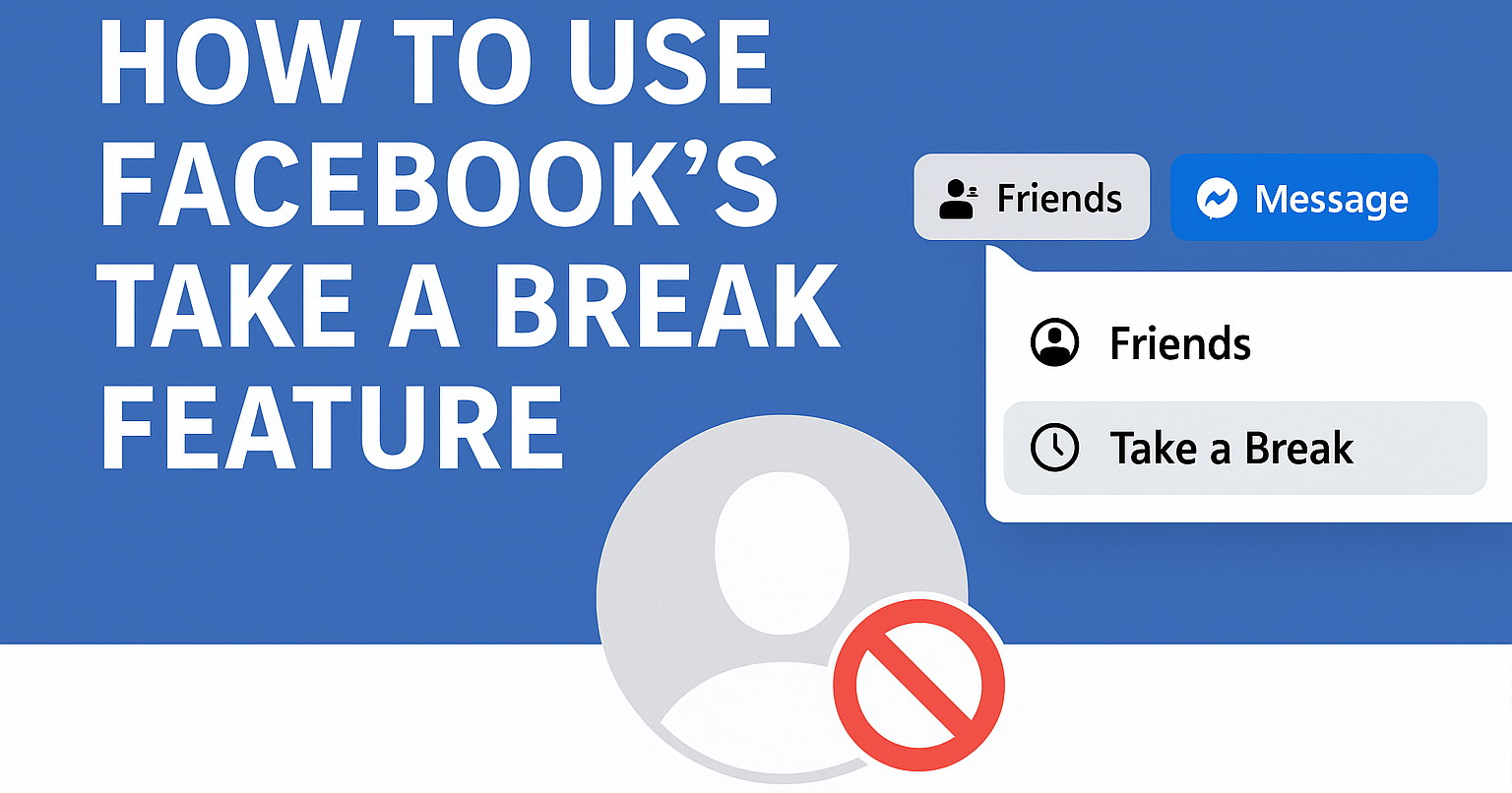
Facebook offers a feature called Take a Break that helps you control what you see from someone and what they see from you, without having to unfriend or block them. This can be especially useful if you want a little space after a breakup, a disagreement, or simply when you need to focus on yourself.
What Take a Break Does
When you use Take a Break on Facebook, you can:
- Limit what you see: Their posts and updates will show up less often in your feed.
- Control what they see: You can choose to hide your posts from them without unfriending.
- Edit past posts: You can review and update old photos, posts, and tags that include both of you.
How to Take a Break on Facebook
Method 1: Use the Take a Break Page on Desktop
- Open Facebook in a web browser and go to the Take a Break page.
- Search for the person's name and open their entry.
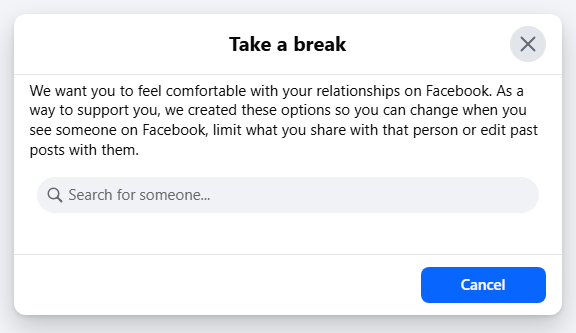
-
Set your preferences:
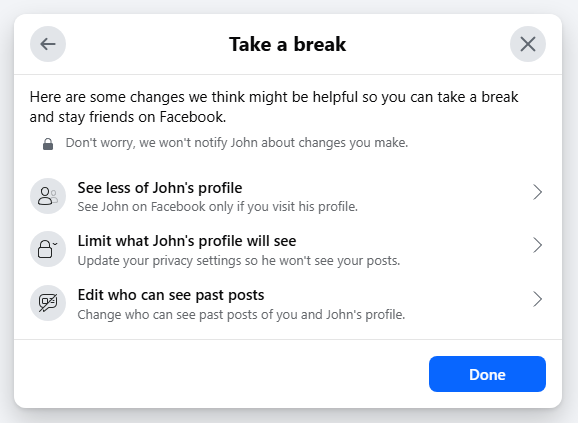
- See less of their profile to reduce their posts in your feed.
- Limit what they see to hide your posts from them by default.
- Manage past posts to adjust old tags and timeline posts.
- Save your changes.
Method 2: Use the Mobile App
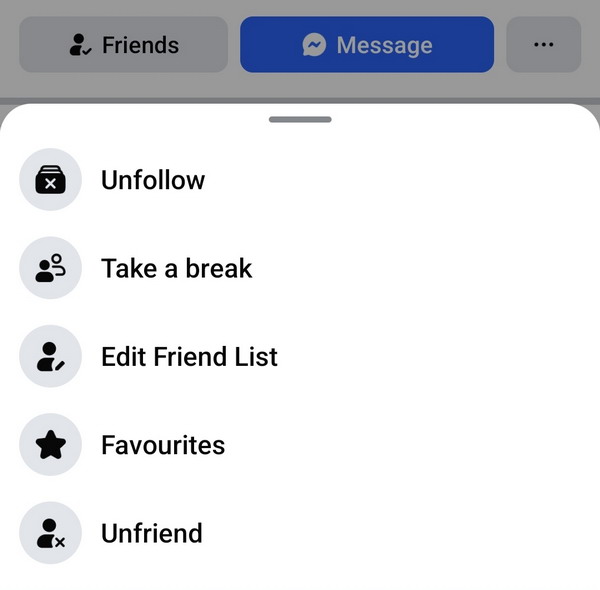
- Open the person's profile in the Facebook app.
- Tap Friends.
- Choose Take a Break.
- Adjust the same three areas as above and save.
Why Use Take a Break?
This feature gives you flexibility and control without the finality of unfriending or blocking. It helps you manage your mental well-being, keeps your feed comfortable, and allows you to maintain connections if you wish to reconnect later.
Facebook's Take a Break feature is a simple but powerful tool to create space when you need it. It is designed to make social media feel healthier and more manageable, without hurting relationships unnecessarily. Try it out if you ever feel overwhelmed or just need a little break.