Do you want to insert AdSense ads into your Blogger blog without showing them on the homepage? This tutorial explains how to display AdSense ads only on post pages of your blog. Following the steps given here you can insert ad code to the top or bottom of your post title or post content.
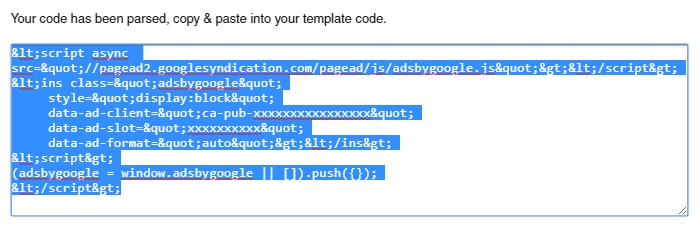
1.Generate parsed code of your AdSense code because we cannot put AdSense code directly into the Blogger xml. So parse it using HTML Encoder.
Now your ad code will look like this:
2.Go to "Edit HTML" of your blog. Find this line:
<b:includable id='post' var='post'>
Above line is the starting point of the code block which is responsible for displaying your posts. We need to add our ad code into this code block.
3.You should add your AdSense code like this:
<b:if cond='data:blog.pageType == "item"'>
<div style='margin:10px 0;clear:both;'>

ADD-YOUR-ADSENSE-CODE-HERE

</div>
</b:if>
Replace "ADD-YOUR-ADSENSE-CODE-HERE" with your parsed ad code.
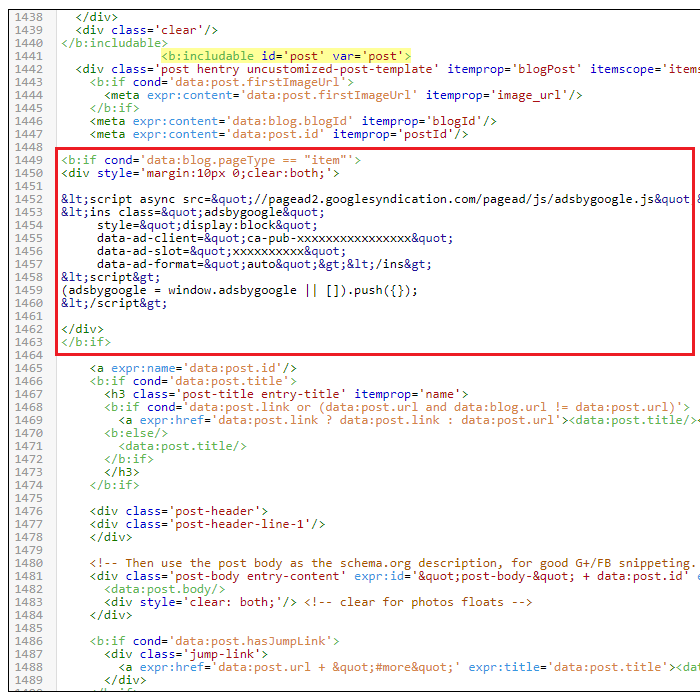
How to Display Ads Above Post Title
To display advertisements above your post title, add your ad code like this:
How to Display Ads Below Post Title
To display advertisements below your post title, add your ad code like this:
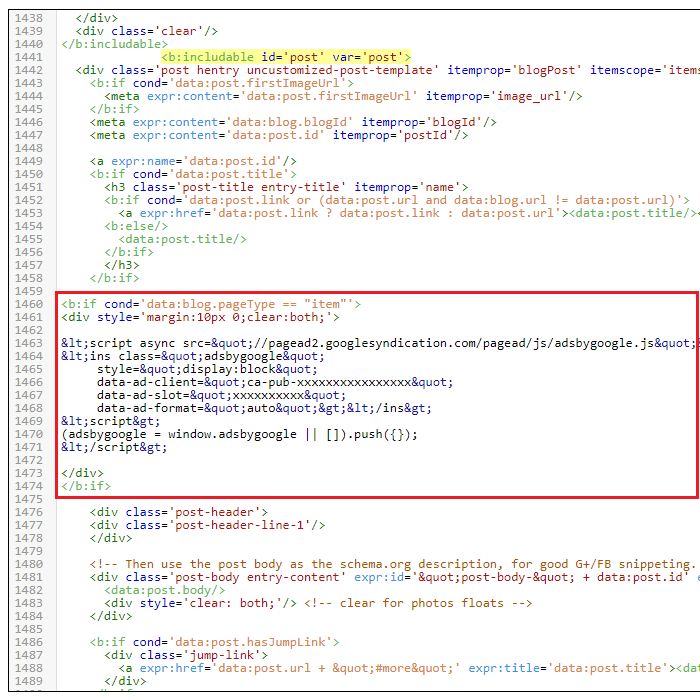
Note: Adding advertisement directly below post titles is not recommended.
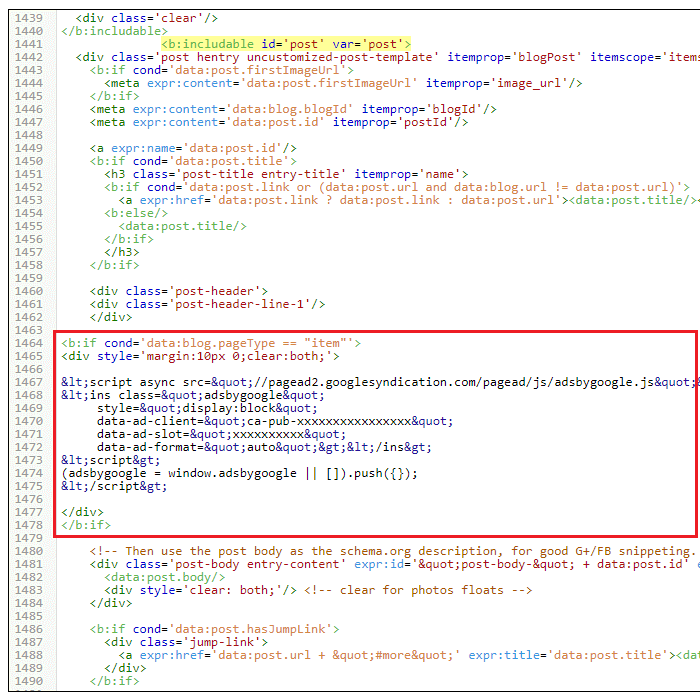
How to Display Ads Above Post Body
To display advertisements above your post's content, add your ad code like this:
How to Display Ads Above Post Body
To display advertisements below your post's content, add your ad code like this:
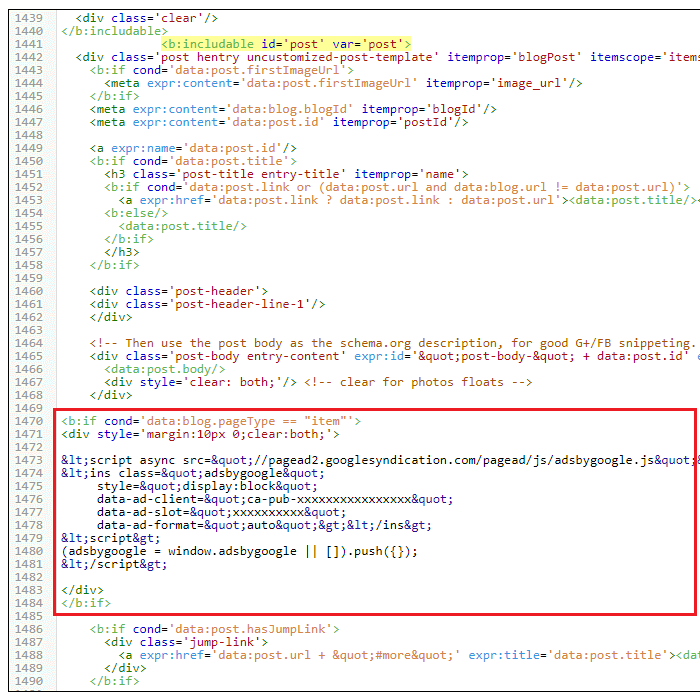
Note: Above codes can be slightly different according to the template you are using.